ReverbNation Artist Features
- Your Own Mobile App
- Digital Distribution
- Reverb Press Kits
- Mega Song Storage
- FanReach Pro
- Site Builder
- Pro Widgets
- Promote It
Get Fans, Get Gigs, Track Stats, Earn Money
Fan Collection Features
» Comprehensive Artist Profile
» Music Players and Widgets
» Apps for Facebook
» FanReach E-mail System
» Fan Collector Widgets
» Exclusive Downloads
Gig tools
» Gig Finder
» Reverb Press Kits
Stats tools
» Stats and Tracking
» Band Equity Score
» Buzz Tracker
Opportunities to Earn Money
» Digital Distribution
» The Reverb Store
Upload, edit and manage content across multiple platforms, all from your ReverbNation profile.
Read what people are saying about your band online.
Band Profile is the #1 musician app on Facebook. Let your friends share songs and increase traffic to your page.
Track everything from number of fans to number of plays using our easy-to-read stats.
Free banners that link to your ReverbNation or Facebook profiles.
Create a blog for your band or import one you already have.
Find gigs at venues that have booked artists similar to your band, or venues similar to ones you've played.
Music players, show schedules, merch stores and more — all available to paste anywhere you can think of.
Update your tweople about all the things you do on ReverbNation automatically from your dashboard.
Free, on-demand store that sells your t-shirts, albums, downloads and more, available right in your profile.
The easiest way to send songs over e-mail or IM.
Promote your band with your own Mobile App.
Sell your music on iTunes, Amazon and more. You keep the rights to your music.
Customizable e-mail templates with demographic targeting and robust tracking.
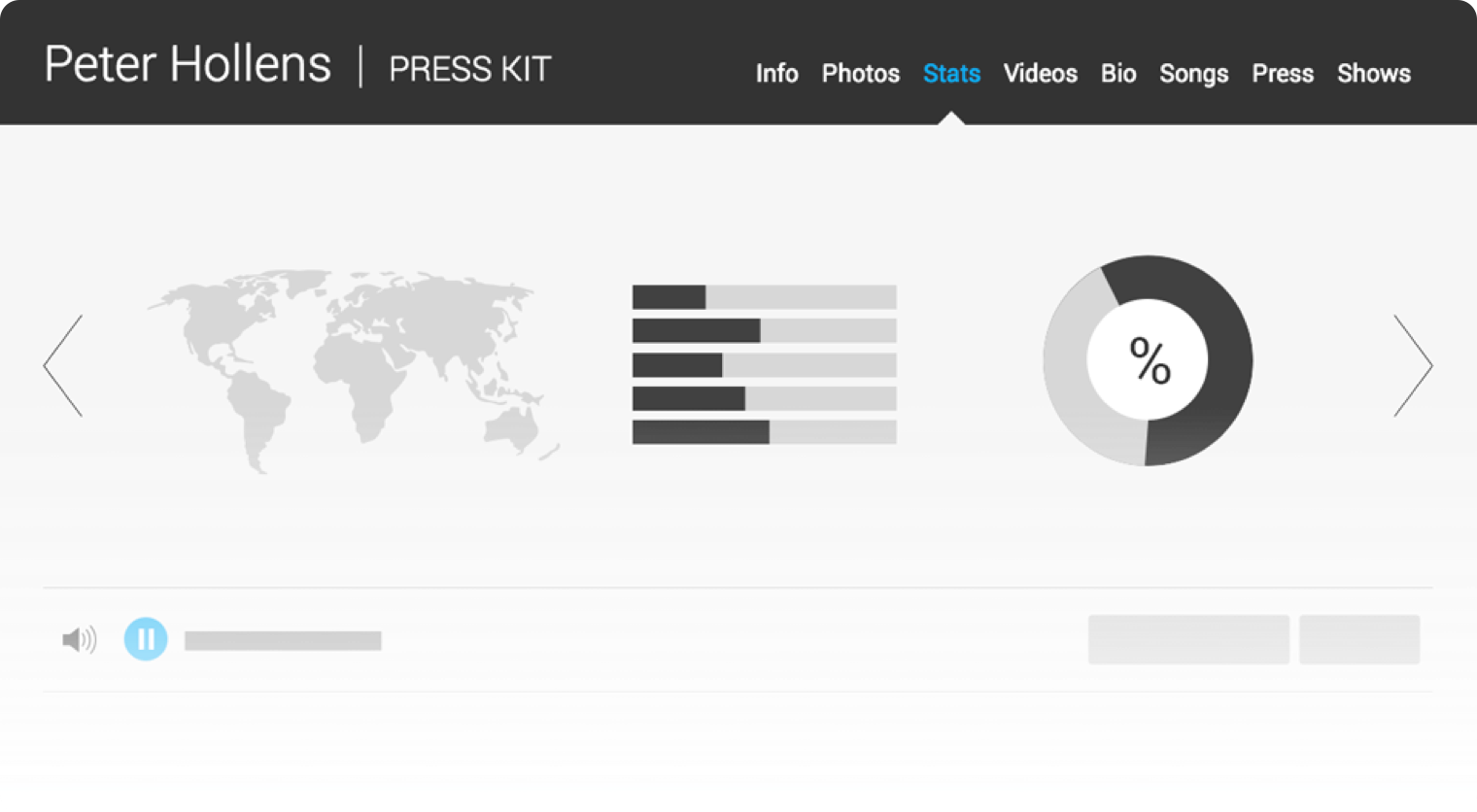
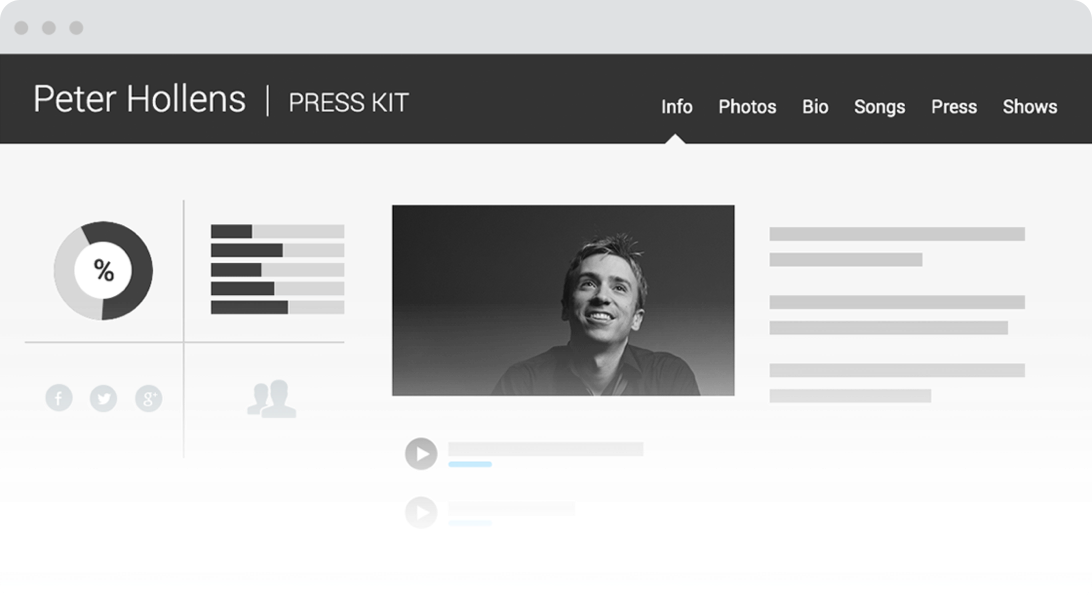
Professional-grade digital press kit. Photos, bio, press clips and a music player all in one.
Build your band Web site using your ReverbNation content with just a few clicks.
Mega Song Storage increases your maximum song size to 100 MB from the standard 8 MB.
Widgets, only better.
Professional-grade digital press kit. Photos, bio, press clips and a music player all in one.
Send FREE, custom emails to your fans. Use the FREE Fan Collector to allow fans to sign up from all of your sites.
FanReach is the only email system built for the music business from the ground up. Over 40,000 Artists, Venues, Labels, and Managers are using FanReach to send out millions of emails per month.
FanReach is available in two versions, our free product for bands who are just starting out, and FanReach Pro for bands who are trying to grow their fan base, book gigs, and earn money from selling merchandise and music.
Learn more about FanReach Pro »
Using FanReach is Easy:
STEP 1: BUILD YOUR LIST
STEP 2: CREATE AND SEND
STEP 3: TRACK RESULTS
STEP 4: RELAX
The quickest way to send music. Pick your songs and choose your delivery method (email or IM) or simply grab the link and go.
When a TunePak link is clicked inside an email, IM, blog, or webpage, a stand-alone player pops up and begins playing your music. The player also contains links back to your profile page. Its really simple.

Click here for a live example »
How to Use TunePaks
- Send music to media, venues, fans, A&R folks.
- Use the link in Blogs, Web Pages, or emails so people can check out your music.
- Track what's happening to your tunepaks and who's listening.
Creating a TunePak Is Easy
- Select the songs you want to add from any list on ReverbNation.com - song lists, libraries, and playlists
- Click on the share button

- Follow the instructions for emailing or pasting a link
The slickest digital press kit available on the web.
A press kit is a must-have for every artist, and ReverbNation's RPK is the best one out there. We give you detailed tracking information, the friendliest interface, and the most professional look. Want to book more gigs? Our RPK can help. In fact, artists who have an RPK play four times as many shows as artists who do not have an RPK.
— Christopher Bohn
How the RPK Works
Online Press Kit Comparison
| ReverbNation | Sonicbids Standard EPK |
Sonicbids SuperSonic EPK |
|
|---|---|---|---|
| Price | 5.95 | 5.95 | 10.95 |
| Audio storage | UNLIMITED | 25MB | 60MB |
| Photo storage | UNLIMITED | 10 images | 10 images |
| Color customization | UNLIMITED | 9 themes | 13 themes |
| Unique versions | UNLIMITED | 1 | 1 |
| Video support | ![]() |
![]() |
![]() |
| High-res media photos | ![]() |
![]() |
![]() |
| Private songs | ![]() |
![]() |
![]() |
| Show schedule | ![]() |
![]() |
![]() |
| Press clippings | ![]() |
![]() |
![]() |
| Detailed tracking | ![]() |
![]() |
![]() |
| Fan demographics | ![]() |
![]() |
![]() |
Feature Legend
1. Links to social network profiles2. High-quality media photos
3. Private songs (for pre-release songs and albums)
4. Fully downloadable songs
5. Comprehensive stats on your fan demographics (Venues will LOVE this.)
6. Unlimited photos and songs
7. Intuitive, prominent music player
Want to know how you stack up? Use this single, simple score to track your success.
ReverbNation has introduced a new metric that helps Artists understand their overall 'brand value' and how it is growing across the entire digital realm. This metric takes into account the total engagement of the Artist across their entire base of fans and listeners, as well as their ability to convert casual listeners into "Fans" that can be contacted.
Every Artist on ReverbNation is measured automatically and the score is tracked over time. In addition, ReverbNation provides a Band Equity Chart that compares Artists against others in their genre so they can benchmark their progress.
Band Equity Score Tracking Sample:
What It Measures
Reach
The number of unique people touched by the Artist's content, which typically lives within social networks, blogs, home pages, etc. This factor includes unique listeners, watchers of video, registered fans, size of their mailing list, etc. It could be described as the total potential fan base, and captures an element of effort on the part of the Artist and their Fans to spread their content and reach more people.
Influence
The reaction of those people exposed to the content. This factor includes number of songs or videos played per listener, number of unique times the listener was engaged with the content, play-through percentage on songs, total engagement time, email open rates, etc. It could be described as the merit of the Artist's content.
Access
The ability of the Artist to access those fans directly, and message to them. This factor includes the rate at which listeners/friends convert to registered fans of the Artist or joining their mailing list, giving the Artist the ability to speak to them directly. It could be described as the familiarity the Artist has with their fan base.
Recency
All of the above factors are weighted by how recently the activities have taken place. Because of this, Band Equity can be used as a way to identify how promotional strategies affect fan relationships in the aggregate, closing the loop on understanding the cause and effect of an Artist's popularity.
Use our simple Banner Tracking feature to collect stats about which banners are getting seen, getting clicked, and leading to conversions.
ReverbNation's Banner tracking provides the information you need to understand which banners are getting seen, getting clicked, and leading to conversions*. And it's easy to use:
- Upload your banner artwork by clicking "new resource" on your banners tab
- Tell us where the banner should link to
- Click on the banner to get the special code
- Paste it into your other web pages, emails, blogs, etc.
- No matter how many people grab or copy the banner, we'll be tracking that for you too
Tracking metrics about your banner will be displayed in the Banners tab of your Stats at ReverbNation, and will include:
- Impressions
- Clicks
- Click-Through Rate (CTR)
- Conversions*

Top Banners Table
*Conversion Tracking
Each time you upload a new banner you will be presented with a piece of 'conversion tracking code' that is optional to use. Conversion tracking tells you how many people actually did something after they clicked on the banner. Here is an example:
You are selling t-shirts on your website, and you want to know how many sales are generated from your new "Get our Latest T-Shirt" banner you plan to post on Myspace. So you upload the jpeg banner and name the conversion "T-shirt Sale". Now grab the conversion code and paste it onto your website on a page that occurs AFTER a sale has been made (referred to as the 'success', or 'thanks for your order' page).
ReverbNation shares 50% of all advertising revenue with the Artists.
Overview
Each month, 50% of the total ad revenue from across all artist pages will be pooled, and artists who have opted-in to the Fair Share Program will receive a portion of that pool based on their overall site activity for the month. Unlike other sites that have tried to negotiate the lowest possible payout to the Artists, ReverbNation has been VOLUNTARILY paying Artists 50% of our take since April of 2007. You are our BUSINESS PARTNERS, and we will always treat you that way.
Details
1. A site-activity score will be calculated at the end of every month for each artist. Each artist will receive their Fair Share of the revenue pool based on the proportion of their site activity to the rest of the participating artists.
2. Artists can increase their site activity scores by driving more new fans to their pages, and by having their music played more often and in more places on the web.
3. Increase your Fair Share
- Driving more fans to your ReverbNation page
- Posting more widgets
- Using the FanReach email system
4. Requirements
- Must opt-in to the Fair Share Program
- Must have valid Paypal address
- Must have FanReach activated
- Must provide valid mailing address
To withdraw funds:
- Must have balance that exceeds $20
FAQ
How do artists earn money at ReverbNation? How does ReverbNation earn Money?
How do I drive more fans and new fans to my page?
How do I increase the number or song plays and locations of those plays?
How do artists earn money at ReverbNation? How does ReverbNation earn Money?
ReverbNation is a business with offices, employees, and investors, so we need to make money to eat, sleep, and be happy too. But we differ from most companies in this space in that we understand that without the Artist we have no music, and without the music we have no website, and without a website, we can't eat, sleep or be happy. We bring our heart and soul and technology to the table, but Artists bring themselves, their music, and their fans. This is why we decided to split all advertising revenue down the middle. This all sounds lovely, but please don't quit your day job over this. While many artists will get a very nice paycheck each month, many artists will get very little. Remember, it is all based on the activity an Artist generates, and that is the fairest way to do it. Other companies like Last.fm are now copying our model and sharing some ad revenue with the indie Artist. But we just don't feel that 10% is enough for all that you do for our site. You are our partners, and we will always treat you that way.
How do I drive more fans and new fans to my page?
There are lots of ways to do this. Here are a few:
- Encourage your fans to join the site. If they keep a profile on ReverbNation, they are up to 10 times more likely to visit your page and get their friends to visit it too.
- Use our free emailing and fan-targeting system called FanReach. All FanReach emails have links back to your page, and we automatically track when your fans link back so that you know which emails are working.
Click here to learn more about FanReach
- Put a linking banner up on your other webpages and in blogs. When you signup for ReverbNation, we create one for you automatically and put it inside your widgets tab on your profile page. Just click it to grab it.
Click here to get the banner
How do I increase the number or song plays and locations of those plays?
It's easy. Grab one of the music player widgets from your widgets tab. Put them into as many different places as you can think of on the web - blogs, web pages, Myspace Bulletins, Myspace Comments, etc. Encourage your fans to spread your music players too! To maximize plays on each widget, select "on" for the autoplay option. This will start the music playing automatically when the target web page is opened or refreshed.
Click here to get your widgets
Add links to your retailers, and we'll integrate them into your ReverbNations tools.
ReverbNation makes it easy to make all of your online retail outlets available to your fans. Just follow these 3 easy steps to get it set up:
- Click on Storelink in the Artist Resources section of your Admin/Tools page.
- Find the URLs of all the stores for which you have accounts. If don't have accounts with these stores you'll need to sign up with them first.
- Then simply paste the URLs for the stores you'd like to make available.
Then you're done! Now your fans can access the full array of your retailers on the Store tab on your ReverbNation profile page and also in the Store section of your TuneWidget!
Find Music Venues in Your Town, or Anywhere Else. More than 100,000 Listings.
Gig Finder Is Different
You can use any number of web sites to locate venues and clubs in a specific geography, but who's to say that they are going to be receptive to your genre or your capacity requirements? With Gig Finder, you can locate Venues and Clubs that have booked Artists similar to YOU!
Gig Finder let's you find opportunities based on ANY or ALL of the following criteria:
- Geography (venues in a given area)
- Venue Name (if you know the name, we'll find it)
- Where similar Artists to you have played (type in an Artist and we'll show you the venues they've played).
- Similar Venues to ones you have played or you are familiar with (type in a venue name, and we'll show you a list of venues that have hosted the same Artists).
Sign up now for ReverbNation and get access to this awesome FREE feature!
> Go to Gig Finder Now
Sell your merch, music, and ringtones for free.
You can start selling your T-Shirts, MP3 downloads, and ringtones right away without upfront costs.
No Up-Front Costs
You can start selling your T-Shirts, MP3 downloads, and ringtones right away without upfront costs. All merchandise is created on demand, so you don't have to hold any inventory. The best part? You make money on each sale, and never have to pay a dime.Order for Yourself
You can stock up on your own T-Shirts and other merch to sell at gigs or festivals, or just for your band. You can manage all your merchandise needs from inside the Reverb Store.Instant Integration
Once you set up your Reverb Store, it is instantly integrated into all your ReverbNation promotional channels. It shows up on your widgets, your profile page, in your emails, everywhere. It's a free store, with a built-in marketing platform, what are you waiting for?Open a Store on Facebook
The Reverb Store can be added to any profile type using our free Facebook app called 'Store'. If you already have Band Profile, the #1 musician app on Facebook, your Reverb Store is automatically added to your profiles. Which means you have your stuff for sale on Facebook in minutes, with no up front costs.Selling Merchandise on Facebook in Two Minutes or Less
Does it cost anything to set up my Reverb Store?
How do I get paid?
Does ReverbNation take a percentage of my earnings?
How can I sell more?
How do I check on earnings from sales of my products?
Why does my Reverb Store say “Powered by ReverbNation, in partnership with Audiolife”?
Is my Reverb Store Exclusive?
What is a Reverb Store?
What are my “Featured Items”?
How do I manually set my featured items?
What are good items to feature?
Do copyright holders maintain full control of content posted through the Reverb Store?
Who handles accounting and royalty distribution?
I live outside the USA, can I still sign up for a Reverb Store?
Do I have to have produced commercially available recordings to sign up with a Reverb Store?
What if I sign with a record label in the future?
What if I start my own label?
Is it a problem if my content is already distributed by other retailers like iTunes or Napster?
Do I have to be a member of ASCAP, BMI or SESEAC to have a Reverb Store?
What if I am already signed up to an aggregator?
Where can I manage my saved designs and finished products?
Can I edit items in my store?
What copyright guidelines do I need to be aware of when I create my products?
Does it cost anything to sell my albums through the Reverb Store?
How is digital CD manufacturing different from traditional manufacturing?
What are the benefits of digital CD manufacturing?
What is the quality of the manufactured product?
Do I retain copyright to my product?
Are there volume discounts for large orders?
How do I create a digital album?
How do I create a physical CD?
How do I add text to an album?
What type of files can I upload for my album?
Are my release and song sales reported to SoundScan?
Where do I enter my UPC/ISRCs?
What would be the download quality when fans purchase my songs?
How do I add an image to an album?
What image formats are supported in the Design Studio?
How do I upload my own images or designs for an album?
Does it cost anything to sell my merchandise through a Reverb Store?
How do I create a merchandise item?
How do I add text to a merchandise item?
How do I add an image to a merchandise item?
What size and resolution should my uploaded images be?
The image I uploaded came out smaller than expected. Why is that?
The image I uploaded has a white background. Why is that?
What content is acceptable for my products?
How are your merchandise items printed?
Does it cost anything to sell my ringtones through my Reverb Store?
Can I use my own MIDI?
What is a TrueTone?
Do I have to install anything on my computer or mobile phone?
What features does my mobile phone need to have?
How do I create a ringtone?
What file formats can I use to create a ringtone?
Can I use an MP3 from my computer to create a ringtone?
Can I use iTunes files to create a ringtone?
Can I select my ringtone clip?
How long is the preview clip?
Does it cost anything to set up my Reverb Store?
No. It’s absolutely free!
How do I get paid?
You can cash out any time after you have earned $20 or more and ReverbNation has cleared all payments. For security and convenience, all payouts to artists are made through your valid PayPal account. To satisfy customer service and return requirements, all payments received by ReverbNation are held in your secure account for 35 days. These payments are shown as your “Pending Balance.” After 35 days, the monies move into your “Available Balance,” and you can collect by clicking the “Pay Me” button.
Does ReverbNation take a percentage of my earnings?
No. We take a flat fee for each item sold, not a percentage. There is no charge to create your Reverb Store or any of its content. We don’t make a cent until you do &mdash when you sell an item, we get a pre-set flat fee. Fee details are listed within each category of content creation.
How can I sell more?
Increase the traffic to your store: Enable the store promotion in the settings. Promote the store through emails (run a limited time sale on a product). Add the store app to your Facebook and Myspace profiles. Place the store widgets on your other web sites. Include the store banners in blog posts.
Ensure that when visitors get to your store, they buy something: Customize the store settings to make your store look attractive to buyers and to let them know this is your store. Limit the height of the store banner to 250px max so that the featured product is seen on the first screen (without scrolling). Feature items that have good artwork. And of course, everyone loves low prices.
How do I check on earnings from sales of my products?
You can track your earnings from your “Earnings Report”,which is in the stats section of your control room.
Why does my Reverb Store say “Powered by ReverbNation, in partnership with Audiolife”?
Your Reverb Store is part of your ReverbNation account, however ReverbNation has partnered with Audiolife to power some of the functionality associated with your Reverb Store.
Is my Reverb Store Exclusive?
No. Registering your songs and creating your products with your Reverb Store does not inhibit your ability to sign with a label or enter into distribution deals with digital retailers. You always have complete control over where you place your Reverb Store and where else you sell your products.
What is a Reverb Store?
When you activate your Reverb Store. We provide you with free tools to create your own store containing ringtones, music downloads, albums, and merchandise items. Your Reverb Store is your own complete, self-contained store. You can also place the StoreWidget or add the Reverb Store on Facebook through the Band Profile app or our stand-alone Store app.
What are my “Featured Items”?
Your featured items are the items that a fan sees in the different promotional tools on your ReverbNation account. Your Reverb Store is fully integrated into your ReverbNation account, which means all of your promotional tools will start marketing your store immediately. For example, your widgets have a “Store” link that shows fans your featured items. Featured items also show up on the banner on your profile page. By default, we try to pick items automatically to optimize your store sales but you can manually pick your featured items as well.
How do I manually set my featured items?
Go to your Reverb Store, and select store settings, select Manual Featured Item Selection and you can set your featured items using the drop down menus.
What are good items to feature?
Generally, we recommend you use items that have good imagery. Merchandise items like t-shirts and albums are good items to feature. You may wish to feature an item for a limited time with a reduced price. Alternative, you might want to feature a newly released item.
Do copyright holders maintain full control of content posted through the Reverb Store?
Yes. ReverbNation does not own or control the content in your store.
Who handles accounting and royalty distribution?
ReverbNation handles all collection and payment details. We collect the money from your in-store purchases, provide you with tracking of all sales, and pay you when transactions clear after a 35-day hold period to accommodate any customer service or return issues.
I live outside the USA, can I still sign up for a Reverb Store?
Yes.
Do I have to have produced commercially available recordings to sign up with a Reverb Store?
No. You can sign up as long as you own or control the right to distribute the sound recordings you want to sell. The products that you create are your own and you have total control over them.
What if I sign with a record label in the future?
You will not need to make changes to any tracks or products that you retain the rights to. When you sign with the record label, be sure to let them know you have a Reverb Store.
What if I start my own label?
If you start a label, simply add the label information to your account and keep selling your products all over the world through your Reverb Store.
Is it a problem if my content is already distributed by other retailers like iTunes or Napster?
Nope. Signing up for a Reverb Store contract is non-exclusive, so you can work with anyone else you want to. We’re on your side &mdash we want your music and products everywhere.
Do I have to be a member of ASCAP, BMI or SESEAC to have a Reverb Store?
Nope. You can sign up as long as you own and control the right to distribute the sound recordings that you will be posting to your Reverb Store.
What if I am already signed up to an aggregator?
If you have an exclusive agreement with an aggregator, tell them about your Reverb Store. If your agreement is non-exclusive, sign up with us too. We want to help you get your products everywhere.
Where can I manage my saved designs and finished products?
When you create merchandise, albums, downloads, and ringtones, they are automatically saved to your account. To access your saved items, click “Manage” from the Reverb Store area of your control room. Items that have been priced and published to your store appear first; below them are any saved items you have not published.
Can I edit items in my store?
Yes, but you must remove an item from your store in order to make changes to it. Once you are satisfied with your edits, simply add it back to the store.
What copyright guidelines do I need to be aware of when I create my products?
Intellectual property laws are complex, and often confusing. Below are some basic guidelines:
Copyright Protection Law: In general, you may publish only work that you created from original elements. This means you can’t use images of celebrities or corporate products. You can’t use images, text, or design that you cut from a Web site or any other published source without written authorization. You can’t create a “new” image that incorporates elements from images created by others, and you can’t use a quote or a slogan that is substantially the same as something already written by someone else.
Trademark Protection Law: Letters, words, designs, logos, and combinations of these can be trademarks for promoting the sale and distribution of goods and/or services. Trademarks identify and distinguish one seller’s goods and/or services from the goods and/or services of others. The test for infringement is whether your use of a design creates a likelihood of confusion on the part of the public. You cannot create products with a design that is likely to cause confusion. For complete coverage of all copyright related information, please visit the United States Copyright Office.
Does it cost anything to sell my albums through the Reverb Store?
There are no upfront costs for selling both MP3 and physical albums through your Reverb Store. For MP3 albums our charge is $3.00, so anything above the base price goes to you. For Physical CDs we take a flat fee of $5.49 per album once a purchase has been made (this covers manufacturing and distribution of the product to your fans).
How is digital CD manufacturing different from traditional manufacturing?
It’s easier, faster, and less expensive. Our publishing software helps you quickly design and configure your components (music, CD label, booklet, tray card), then review and modify each element until you’re completely satisfied. Your project is compiled into a single digital file, so that when an order is placed, our integrated system can call up that file to manufacture, assemble, package, and ship your product in minutes. Digital on-demand manufacture of individual units eliminates costly set up fees, along with warehousing and other labor costs, so small runs are made affordable.
What are the benefits of digital CD manufacturing?
You can order small quantities, whenever you need them, at affordable rates. You have no upfront costs or inventory expenses. Your time to market is fast and hassle-free: You can create your digital CD in minutes and have your retail-quality product manufactured and shipped that same day. By posting your Reverb Store digital store on social networks (such as Myspace and Facebook), Web sites, and blogs, your fans all over the world can place digital orders to buy directly from you.
What is the quality of the manufactured product?
CDs manufactured through your Reverb Store are the same quality as those available in retail outlets. We print in full color directly on disc surfaces, booklets, and tray cards, and our professional-grade jewel cases are shrink-wrapped with cellophane.
Do I retain copyright to my product?
Yes. You retain full copyright to all your products.
How do I create a digital album?
From your Reverb Store, in the control room, click “Create Store Items,” and select “Create Album.” You’ll see all the items you have inputted from Digital Distribution in a list, you can either select “Create MP3 Album” from one of those, or click “Create New Album.” The wizard will then take you through the creation process. If you have questions, watch the tutorial video.
How do I create a physical CD?
From your Reverb Store, in the control room, click “Create Store Items,” and select “Create Album.” You’ll see all the items you have inputted from Digital Distribution in a list, you can either select “Create CD” from one of those, or click “Create New Album.’ The wizard will then take you through the creation process. If you have a UPC or ISRCs for your release/songs, you can enter them on the pricing page when you go to place it in your store. If you have questions, watch the tutorial video.
How do I add text to an album?
Within the design application of your choice (CD Label, CD Booklet, CD Tray Card) click the “Add Text” tab. Click “Add Text” and enter your copy in the box. Once you click “Apply” to add your text, you can modify it (size, font, color, effects, rotation) with the controls on the left panel. Repeat these steps to add more text areas to your item. Click on the text box to drag it to any position within the canvas.
What type of files can I upload for my album?
We currently support MP3 and WAV formats.
Are my release and song sales reported to SoundScan?
Yes, if you enter your UPC and ISRCs.
Where do I enter my UPC/ISRCs?
If you have a UPC for your release and ISRCs for your songs, you can enter them on the pricing page when you make your release available in your store.
What would be the download quality when fans purchase my songs?
We currently offer 256kbps.
How do I add an image to an album?
There are two types of images that can be added to an album. A background image that will scale to meet the exact dimensions of the CD label, booklet or tray card, or a normal image that can be resized, edited, and rotated.
- Background Image &mdash To upload a background image, click on the “Add Background” tab of the design application, click the “Image” tab, and then click “Upload.” We currently support JPEG, GIF, and PNG file formats.
- Normal Image &mdash To upload a normal image, click on the “Add Image” tab of the design application, then click “Upload.” We currently support JPEG, GIF, and PNG file formats.
We currently support JPEG, GIF, and PNG file formats.
How do I upload my own images or designs for an album?
To upload your own images or designs created from your own programs such as Photoshop or Illustrator, click on the “Add Background” tab of the design studio, then click “Upload.” Once you design in the editor of your choice you need to flatten the image to a format we support. We currently support JPEG, GIF, and PNG file formats.
Does it cost anything to sell my downloads through the Reverb Store?
There are no upfront costs for selling downloads through the Reverb Store. Our charge is $0.30, so anything above the base price goes to you. You can check our pricing guidelines for more details.
How do I create a download?
From your Reverb Store, in the control room, click “Create Store Items,” and select “Create Download.” Simply upload a track, add a song name, and click “Add.” Follow the instructions to add a price.
What are the different file types that can be uploaded?
Currently we accept only MP3 and WAV files, so we can ensure that all songs are compatible with all music players, such as the iPod.
What would be the download quality when fans purchase my songs?
We currently offer 256kbps.
How long is the preview clip?
Up to 30 seconds, depending on the song length.
Does it cost anything to sell my merchandise through a Reverb Store?
There are no upfront costs for selling merchandise on your Reverb Store. Our sales charge is based on the item, item color, and the number of sides the images are printed on. Anything above the base price goes to you. Visit the detailed pricing guide for more info.
How do I create a merchandise item?
From your Reverb Store section of the control room click “Create Store Items” and then choose “Create Merchandise,” enter a name to save the design, and click “Design Merchandise” to select the item you want to design. Follow the fast and easy prompts to add artwork and complete your project. Then publish your new item to your store to sell on social networks, blogs, or Web sites.
How do I add text to a merchandise item?
Within the design application click the “Add Text” tab. Click “Add Text” and enter your copy in the box. Once you click “Apply” to add your text, you can modify it (size, font, color, effects, rotation) with the controls on the left panel. Repeat these steps to add more text areas to your item. Click on the text box to drag it to any position within the canvas.
How do I add an image to a merchandise item?
To upload an image, click on the “Add Image” tab of the design application, make your selection, and click “Upload.” We currently support JPEG, GIF, and PNG file formats.
What size and resolution should my uploaded images be?
The maximum print size is 3600px x 3000px (height x width). We can print at 300 dpi. Using higher resolution images will result in higher quality finished items. We use the best processes available, but only you can make your products look great. Images can usually be reduced without a loss of quality, but will typically degrade when they're enlarged, especially if your original file size is insufficient. We currently support JPEG, GIF, and PNG file formats.
The image I uploaded came out smaller than expected. Why is that?
To ensure that we are printing at the highest possible quality we don’t scale the image as it is uploaded (If we scale the image the quality of your product could be compromised). If you want your image to fit the entire printable area upload an image that is 3600px x 3000px (height x width).
The image I uploaded has a white background. Why is that?
This is probably because you uploaded a JPEG or a GIF image that does not support transparency. If you would like your image to be transparent, upload a PNG file.
What content is acceptable for my products?
The Reverb Store allows artists to share their work everywhere, and we champion the right to freedom of expression, but we do have a few rules that we ask you to follow so that every artist and fan can enjoy all products. The following content is not acceptable:
- No text or images infringing on intellectual property rights, including, but not limited to: copyrights, trademarks, and rights of privacy.
- Nothing libelous or defamatory.
- Nothing that can reasonably be viewed as harassing, threatening, or otherwise harmful.
- No content that can reasonably be viewed as discriminatory based upon race, ethnicity, national origin, sexual orientation, or disability.
- No hate speech.
- No content that violates or encourages anyone to violate any law.
- No text or images of obscenity, pornography, or nudity unless artistic in nature.
- No text or images that encourage or glorify drug use/abuse.
- No excessive violence.
How are your merchandise items printed?
We use a new digital technology that chemically bonds ink to cotton molecules, resulting in brilliant colors and sharp photographic quality with no overprint around the edges. The image is soft, breathable, vibrant and durable - nothing like the stiff “decal” feel that results from heat-transfer or screen print methods. Images are fade resistant and machine washable, with a fastness equal to or better than other print methods on 100% cotton.
Does it cost anything to sell my ringtones through my Reverb Store?
There are no upfront costs for selling ringtones. The flat rate per ringtone sale is preset at $2.49 by the cell phone carriers. For every ringtone sale, your profit is fixed at $0.50 &mdash which is more than half of what’s left after the carriers get their cut for delivery and billing services. Click here to view our detailed pricing guidelines.
Can I use my own MIDI?
To provide us with your own MIDI, upload it as one of your songs. Make sure to save it as a WAV or MP3 file, and remember that most phones only have a 6 to 8 note polyphony. Specify instrument patches and banks in your MIDI file according to the general MIDI standard, or every instrument becomes piano. Your MIDI sound quality will vary according to each phone’s synthesizer sounds; some are much better than others.
What is a TrueTone?
A TrueTone (also known as MP3Tone and RealTone) ringtone is the actual artist’s song &mdash usually saved as a WAV or MP3 file &mdash that’s been made into a ringtone. They include vocals and sound like the real song because that’s what they are. But because of cell phones’ speakers and storage limitations, the sound is not CD quality.
Do I have to install anything on my computer or mobile phone?
No. We don’t require downloads or special plugins. Simply upload your song (MP3 or WAV), price it, and add it to your store.
What features does my mobile phone need to have?
You need an internet/WAP-enabled mobile phone with an active text-message data plan. Ringtone conversion requires a phone that’s able to play full sound ring tones, meaning TrueTone, not just MIDI.
How do I create a ringtone?
From your Reverb Store section of the control room click “Create Store Items” and then choose “Ringtone.” Upload your song (MP3 or WAV file), name it, price it, and sell it to your fans from your Reverb Store on every social network, blog and Web site on the Internet.
What file formats can I use to create a ringtone?
Ringtones should be saved as MP3 or WAV files.
Can I use an MP3 from my computer to create a ringtone?
Yes. Just follow the same steps used when creating a ringtone.
Can I use iTunes files to create a ringtone? Not at this time. iTunes uses digital rights management to encode its audio files, and the Reverb Store does not currently support this technology. We do support MP3s and WAV formats.
Can I select my ringtone clip?
Not at this time. We are working on implementing this feature. For now use any of the standard clip editors to clip your MP3 and upload it as a ringtone.
How long is the preview clip?
Up to 30 seconds, depending on the song length.
What payment options does my Reverb Store accept?
We accept Visa and MasterCard.
How do I get a price quote to buy my own items?
To get a price quote on a design created, click “Buy Item” and you’ll see pricing details for your order.
Can I see a sample before my order goes into production?
Using the design applications, you can preview a 3-D rendering of your product, showing all design and logo details. To ensure accuracy, every order is also reviewed by our graphic art department before being printed. If there are any problems, we will contact you immediately.
How do I pay for my mobile content?
It’s very simple, with no credit card required. All mobile content purchased from your Reverb Store is charged to your monthly cell phone bill.
How do fans pay for my mobile content?
It goes on their cell phone bill. Mobile content purchased from a Reverb Store is charged directly to the purchaser’s monthly cell phone bill, no credit card is required.
How are shipping costs calculated?
Costs vary based on shipping location, the weight of the items in your order, and the shipping method chosen. We ship via UPS and USPS for CDs and merchandise. To determine the cost of shipping, simply add the items you wish to order to your cart and proceed to the second page of the shipping step. In this step, you will see how much it will cost you to ship with all available shipping methods without having to place an order. Custom fees and additional fees may apply for international shipments. Please contact your local customs office for more information.
Does my Reverb Store offer expedited delivery?
Yes. Purchasers can specify the speed and type of delivery they prefer, from next-day air to standard/ground shipment.
How long will my order take to arrive?
Merchandise is typically manufactured and shipped within 2-4 business days from the time an order is placed. On demand CDs are typically 3-5 business days production time. Transit times vary depending on your shipping choice at the time of purchase.
Digital Distribution
Reverb Press Kits
Mega Song Storage
FanReach Pro
Site Builder
Reverb Store
Pro Widgets
© 2010 eMinor Inc.
v.deploy-27102011-3705-g377a40b ella.reverbnation.lan - RAILS 2.1.2